- A voicebot is an AI-powered phone assistant that answers calls in natural language, responds to questions, captures data and forwards complex requests to your team
- Benefits: 24/7 availability, automated standard requests, reduced workload for staff, lower costs, fully automated appointment booking and claims intake
- Voicebot answers calls → captures customer data → automatic WhatsApp/email follow-ups → central control of all channels in one system
- Use cases: answering FAQs, booking appointments, processing claims, handling product enquiries and complaints — all without coding
What is a voicebot?
A voicebot is a digital, AI-powered phone assistant. It communicates with callers in natural language, understands individual questions and responds autonomously.
Unlike traditional phone systems or automated recordings, a voicebot can handle complete conversations. It can provide information, take damage reports, create tickets or forward calls to the right department — so customers get immediate answers with no waiting time.
How do voicebots work?
Voicebots are built on technologies including speech recognition, artificial intelligence and natural language processing. As soon as a call comes in, the bot analyses the conversation in real time. The AI identifies key terms and context, then responds, asks follow-up questions or triggers a defined action. The system also improves continuously: built-in analytics show which conversations are working well and where there is room for improvement.
Benefits of AI voicebots
Voicebots can be used across industries — from real estate and professional services to e-commerce. They handle damage reports, appointment bookings and product enquiries fully automatically.
By deploying a voicebot, businesses reduce the workload on their team and lower operating costs. Standard requests are handled automatically, freeing staff to focus on more complex cases.
Which platform do you need for a voicebot?
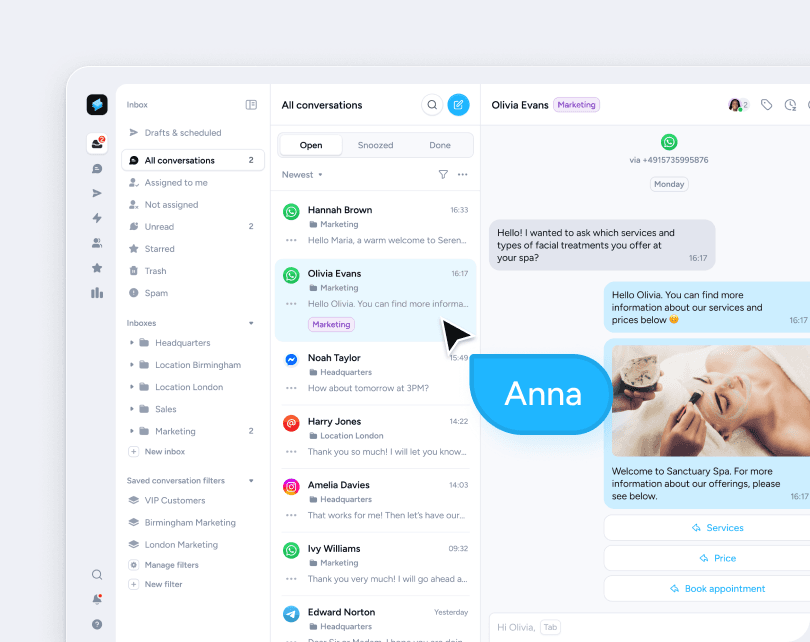
Superchat brings together phone, WhatsApp, email and chat in a single platform. After a call with the voicebot, follow-up WhatsApp messages or emails can be sent automatically — without switching between tools. All conversations are managed centrally in one inbox.
Setting up a voicebot: 6 steps to your AI phone assistant
Setting up a AI agent in Superchat works in two stages: configure, then go live. During configuration, you define what the agent should do, what it should never do, what it learns from and how it sounds — all without any coding.
Step 1: Set up your phone number
Superchat provides a dedicated phone number for your AI agent. You do not need to change your existing number. Simply set up call forwarding, and calls will reach the agent whenever you choose: always, outside business hours, or only when the line is busy.
Step 2: Train the agent
Enter your website URL or upload documents. The agent reads everything and understands your business immediately — prices, opening hours, FAQs, all available without manual effort. You can add more answers at any time via the Q&A library.
Step 3: Set personality and voice
Choose a voice from the library or clone your own. Define how the agent sounds, how it introduces itself and whether callers can interrupt the greeting. Superchat automatically generates a GDPR-compliant greeting that informs callers the conversation is being recorded.
Step 4: Configure handover and actions
Decide when the agent transfers to your team. Set which actions it can carry out on its own: writing internal notes, capturing contact details, sending WhatsApp templates or forwarding calls directly to a team member.
Step 5: Test and go live
In the Playground, you can test the agent end to end before going live — via browser or by calling it directly. Once everything looks good, you switch it live. Setup takes hours, not weeks.
Step 6: Track and optimise calls
All conversations appear in the inbox under "AI Calls", each with an automatic summary, recording and full transcript. You can see in real time which questions come up most, where the agent can improve and how satisfied your customers are. Adjustments can be made at any time.
Conclusion
The Superchat voicebot handles standard requests around the clock, takes the pressure off your team and ensures no call goes unanswered. For businesses that want to manage phone, WhatsApp and email in one system — without running multiple tools — Superchat is ready to use from day one.